PCWorld - A new computer Trojan program attempts to install mobile banking malware
on Android devices when they’re connected to infected PCs, according to
researchers from Symantec.
This method of targeting Android devices is unusual, since mobile
attackers prefer social engineering and fake apps hosted on third-party
app stores to distribute Android malware.
“We’ve seen Android malware that attempts to infect Windows systems before,” Symantec researcher Flora Liu, said Thursday in a blog post.
“Android.Claco, for instance, downloads a malicious PE [portable
executable] file along with an autorun.inf file and places them in the
root directory of the SD card. When the compromised mobile device is
connected to a computer in USB mode, and if the AutoRun feature is
enabled on the computer, Windows will automatically execute the
malicious PE file.”
“Interestingly, we recently came across something that works the other
way round: a Windows threat that attempts to infect Android devices,”
Liu said. Read More
As the winter holidays approach, US-CERT reminds users to stay aware of seasonal scams and cyber campaigns, which may include:
electronic greeting cards that may contain malware
requests
for charitable contributions that may be phishing scams and may
originate from illegitimate sources claiming to be charities
screensavers or other forms of media that may contain malware
credit card applications that may be phishing scams or identity theft attempts
online shopping advertisements that may be phishing scams or identity theft attempts from bogus retailers
shipping notifications that may be phishing scams or may contain malware
US-CERT
encourages users and administrators to use caution when encountering
these types of email messages and take the following preventative
measures to protect themselves from phishing scams and malware
campaigns:
Refer to the Shopping Safely Online Cyber Security Tip for more information on online shopping safety.
Do not follow unsolicited web links in email messages.
Use caution when opening email attachments. Refer to the Using Caution with Email Attachments Cyber Security Tip for more information on safely handling email attachments.
Verify
charity authenticity through a trusted contact number. Trusted contact
information can be found on the Better Business Bureau's National Charity Report Index.
Ars Technica - Malware that takes computers hostage until users pay a ransom is
getting meaner, and thanks to the growing prevalence of Bitcoin and
other digital payment systems, it's easier than ever for online crooks
to capitalize on these "ransomware" schemes. If this wasn't already
abundantly clear, consider the experience of Nic, an Ars reader who
fixes PCs for a living and recently helped a client repair the damage
inflicted by a particularly nasty title known as CryptoLocker.
It started when an end user in the client's accounting department
received an e-mail purporting to come from Intuit. Yes, the attached
archived zip file with an executable inside should have been a dead
giveaway that this message was malicious and was in no way affiliated
with Intuit. But accounting employees are used to receiving e-mails from
financial companies. When the receiver clicked on it, he saw a white
box flash briefly on his screen but didn't notice anything else out of
the ordinary. He then locked his computer and attended several meetings.
Within a few hours, the company's IT department received word of a
corrupt file stored on a network drive that was available to multiple
employees, including the one who received the malicious e-mail. A quick
investigation soon uncovered other corrupted files, most or all of which
had been accessed by the accounting employee. By the time CryptoLocker
had run its course, hundreds of gigabytes worth of company data was no
longer available. More
Those kinds of sweeping, dramatic statements tend to set my eyes
a-rollin’, as they frequently lead into a pitch to spend your
hard-earned cash on a high-priced security suite.
Here’s the thing, though: As crass as the delivery is, the message
itself is true. If the bad guys aren’t phishing for your personal data,
they’re trying to trick you out of your credit card details or angling
to turn your machine into a botnet zombie. If you’re connected to the
Net, you really are a potential target.
But that doesn’t mean you need to shell out cash for a premium
security suite. Though the likes of McAfee and Symantec offer simple,
seamless solutions, you can cobble together a DIY security suite of your
own that provides most of the protection that the boxed options do, at none
of the cost. Once you’ve slapped these apps on your PC and read up on
how to avoid the Web’s most devious security traps, you’ll have a decent
amount of protection from the majority of the Web’s worst boogeymen.
Get a good, free antivirus program
AVG Free 2014 is designed with a Windows 8-esque aesthetic. (Click to enlarge.)
AVG Free topped the charts in our most recent free antivirus roundup,
and this superb software suite has only gotten better since. Fast and
efficient, AVG does a great job of blocking malicious downloads before they happen, and it’s even better at eradicating malware that has already slipped onto your machine. More
The research team that discovered significant security holes in more
than a dozen home Wi-Fi routers adds more devices to that list at Defcon
21.
PCWorld - LAS VEGAS -- More major brand-name Wi-Fi router vulnerabilities continue
to be discovered, and continue to go unpatched, a security researcher
has revealed at Defcon 21.
Jake Holcomb, a security researcher at the Baltimore, Md.-based firm
Independent Security Evaluators and the lead researcher into Wi-Fi
router vulnerabilities, said that problem is worse than when ISE released its original findings in April.
The latest study continues to show that the small office and home office Wi-Fi routers are "very vulnerable to attack," Holcomb said.
"They're not a means to protect your network and your digital assets," he cautioned.
Holcomb is a relatively young researcher, in his mid-20s, who turned his
lifelong interest in computer security into a professional career only
in the past year. Previously, he was doing network security for a school
district in Ohio. More
PCWorld - A new version of a
file-infecting malware program that’s being distributed through drive-by
download attacks is also capable of stealing FTP (File Transfer
Protocol) credentials, according to security researchers from antivirus
firm Trend Micro.
The newly discovered variant is part of the PE_EXPIRO family of file
infectors that was identified in 2010, the Trend Micro researchers said
Monday in a blog post. However, this version’s information theft routine is unusual for this type of malware.
The new threat is distributed by luring users to malicious websites
that host Java and PDF exploits as part of an exploit toolkit. If
visitors’ browser plug-ins are not up to date, the malware will be
installed on their computers.
The Java exploits are for the CVE-2012-1723 and CVE-2013-1493 remote
code execution vulnerabilities that were patched by Oracle in June 2012
and March 2013 respectively. More
PCWorld - A recently patched Java remote code execution vulnerability is already
being exploited by cybercriminals in mass attacks to infect computers
with scareware, security researchers warn.
The vulnerability, identified as CVE-2013-2423, was one of the 42
security issues fixed in Java 7 Update 21 that was released by Oracle on
April 16.
According to Oracle’s advisory
at the time, the vulnerability only affects client, not server,
deployments of Java. The company gave the flaw’s impact a 4.3 out of 10
rating using the Common Vulnerability Scoring System (CVSS) and added
that “this vulnerability can be exploited only through untrusted Java
Web Start applications and untrusted Java applets.”
However, it seems that the low CVSS score didn’t stop cybercriminals
from targeting the vulnerability. An exploit for CVE-2013-2423 was
integrated into a high-end Web attack toolkit known as Cool Exploit Kit
and is used to install a piece of malware called Reveton, an independent
malware researcher known online as Kafeine said Tuesday in a blog post.
PCWorld - It's officially spring, so why is your computer still moving like
it's half frozen? After all those long winter nights surfing shady
sites, it's no wonder. Here's how to give your most important devices a
spring cleaning fit for a May Queen.
Clean It Out
The
first thing you'll want to do is clear out the riff-raff—unused programs
and browser extensions, obsolete registry entries, and expired
permissions. Uninstall unused and under-utilized programs on your
desktop and laptop systems, clear out forgotten apps from your mobile
devices (Sorry, Angry Birds Rio). Give your registry a scrubbing with CC Cleaner,
a free program for both Windows and Mac, that will clear old registry
entries (for PCs) as well as empty recycle bins, zero out recent
document lists, and erase a variety of browser information—Temporary
files, history, cookies, download history, form history—from the major
browsers.
Also be sure to take a look through your browser's
extensions list and remove any rarely used features. The same goes for
Google users: Go to your Google account's security screen,
select the "Connected applications and sites" option from the bottom of
the list, and nix any old devices that you no longer own or operate.
PCWorld - BARCELONA—Samsung on Monday announced an improved version of its SAFE management and security system for popular Samsung-branded Android smartphones and tablets.
Samsung dubbed the updated tool set KNOX, after the famous Fort Knox in
Kentucky, where much of the U.S. gold reserves are stored.
The KNOX technology, to be demonstrated at Mobile World Congress here
this week, means that Samsung smartphone and tablet users will soon be
able to take advantage of a dual persona or containerization approach,
where corporate and personal data are kept in separate spaces on the
Android OS.
Samsung said its new software is not a hypervisor, but runs in the BIOS
(basic input output system) firmware of the Android OS with file system
encryption, to protect against data leaks, viruses and malware.
PCWorld - According to a new report from Bit9—a
security vendor with a focus on defending against advanced persistent
threats (APT)—there is a one in four chance that downloading an Android
app from the official Google Play market could put you at risk. Bit9
analyzed 400,000 or so apps in Google Play, and found over 100,000 it considers to be on the shady side.
Does that mean that the sky is falling, and everyone with an Android
smartphone or tablet should abandon it immediately? No. The research by
Bit9 illustrates some issues with app development in general, and should
raise awareness among mobile users to exercise some discretion when
downloading and installing apps, but it’s not a sign of any urgent
crisis affecting Android apps.
The report from Bit9 isn’t about apps that contain malware, or are even
overtly malicious for that matter. Bit9 reviewed the permissions
requested by the apps, and examined the security and privacy
implications of granting those permissions. The reality is that many
apps request permission to access sensitive content they have no actual need for.
PCWorld - How federal courts define the damages people suffer from data breaches
is broadening dramatically, leaving unprepared companies at greater risk
of big payouts in class-action lawsuits, lawyers from a prominent law
firm say.
Until a couple of years ago, courts would routinely dismiss lawsuits stemming from data breaches, such as the latest in South Carolina, unless the victims could show specific damages. Judges have since widened their view and are awarding class-action status to lawsuits that can show actual damages or a real possibility of future damages.
The latter would make companies liable for steps taken to prevent
financial harm, such as insurance to cover the costs associated with
identity theft.
Jeffrey Vagle, a lawyer with Pepper Hamilton, described as a "sea
change" in judges' thinking. "Courts are starting to pick up on the fact
that the data that can get out there can cause serious harm, maybe not
immediately, but sometime in the near future," Vagle said.
Examples include a case in which a laptop containing unencrypted personal data of Starbucks employees
was stolen. While there was no evidence that the data was misused, the
Ninth Circuit Court ruled in 2010 that the risk alone was enough to
warrant a lawsuit, Vagle and colleague Sharon Klein said in a Client
Alert published on the law firm's website.
CNET - This Web-credentials manager is available for Windows, Mac, Android,
and iOS. It’s not the best product in its class, but the price is right.
Norton Identity Safe is not a password manager in the traditional
sense. It’s more of a log-in manager, able to automatically plug in your
username and password when you sign into various sites that require
them — all the while keeping that info secure and synced.
Originally, the software came bundled with various Norton security
suites, but now it’s a standalone product with a surprising (for
Symantec) price. As long as you grab it before October 1, you can get Norton Identity Safe absolutely free.
The tool is available not only for Windows and Mac, but also Android and iOS. It’s a direct competitor to the likes of LastPass and RoboForm, the latter a $30 product.
However, those tools include a feature I consider essential: a
desktop password manager that can be used to organize more than just Web
credentials. Norton Identity Safe can do likewise, maintaining things
like credit card numbers and software registration codes, but you need
your browser and Internet access if you want to retrieve them. More
CNET - If your computer is infected with the DNSChanger virus, your
summertime Internet activities will be seriously curtailed — as in
buh-bye. But a special Web site can help you fix the problem.
The FBI is warning that hundreds of thousands of people could lose
their Internet connections come July, unless they take steps to diagnose
and disinfect their computers.
The problem is related to malware called DNSChanger that was first discovered way back in 2007 and that has infected millions of computers worldwide.
In simple terms, when you type a Web address into your browser, your
computer contacts DNS (or Domain Name System) servers to find out the
numerical Internet Protocol (IP) address of the site you’re trying to
reach, and then it takes you there. DNSChanger fiddled with an infected
machine’s settings and directed it to rogue servers set up by a crime
ring — servers that handed out addresses to whatever sites the ring
chose. More
EFF - This week EFF released a new version its HTTPS Everywhere
extension for the Firefox browser and debuted a beta version of the
extension for Chrome. EFF frequently recommends that Internet users who
are concerned about protecting their anonymity and security online use
HTTPS Everywhere, which encrypts your communications with many websites,
in conjunction with Tor,
which helps to protect your anonymity online. But the best security
comes from being an informed user who understands how these tools work
together to protect your privacy against potential eavesdroppers.
Whenever you read your email, or update your Facebook page, or check
your bank statement, there are dozens of points at which potential
adversaries can intercept your Internet traffic. By using Tor to
anonymize your traffic and HTTPS to encrypt it, you gain considerable
protection, most notably against eavesdroppers on your wifi network and
eavesdroppers on the network between you and the site you are accessing.
But these tools have important limitations: your ISP and the website
you are visiting still see some identifying information about you, which
could be made available to a lawyer with a subpoena or a policeman with
a warrant.
Protecting your security and anonymity against real-time government
wiretapping is considerably more difficult. In a country where ISPs are
controlled by the government or vulnerable to government bullying,
Internet users should be especially aware of what kinds of information
is still visible to ISPs and may be subject to government surveillance.
To a lesser degree, websites may be subject to the same kinds of
government bullying and may be compelled to give up information about
their customers. More
PCMag.Com - Last week Google said it had fixed the latest security flaw in Google
Wallet, whereby a determined thief could root your non-rooted device ex
post facto and retrieve your Google Wallet prepaid card. That was
partly true. From what we can tell the technical issue still remains,
even if Google Wallet itself is safer.
To recap the Google Wallet brouhaha this month, first researcher Joshua Rubin from zvelo revealed a quick, simple brute force technique to
extract the Google Wallet PIN from a rooted phone. That actually
requires some skillz, but the next day The Smartphone Champ revealed that even in a non-rooted
Nexus smartphone with Google Wallet, a thief can steal your Google
Wallet prepaid card by simply wiping Google Wallet settings and
attaching the app to a new Google account. Finally, Rubin reported how a
thief can root your non-rooted phone ex post facto and steal your
Google Wallet funds. This works because some root privileges do not
remove all the data on your Android device, and Google prepaid cards are
stored in the device, not in one’s Google Wallet account.
Google responded to Rubin’s discovery by suspending new prepaid cards on Sunday. It began re-issuing Google Wallet
prepaid cards on Tuesday, claiming it had fixed the problem. But as a
spokesman told my colleague Neil Rubenking, Google’s “fix” was to
require users to contact Google Support to re-activate a Google Wallet
account. So yes, the technical issue still remains. More
PCWorld.Com - Even the best security software can’t protect you from the headaches
you’ll encounter if you click an unsafe link. Unsafe links appear to be
shortcuts to funny videos, shocking news stories, awesome deals, or
“Like” buttons, but are really designed to steal your personal
information or hijack your computer. Your friends can unknowingly pass
on unsafe links in emails, Facebook posts, and instant messages. You’ll
also encounter unsafe links in website ads and search results. Use these
link-scanning tips to check suspicious links. All of these solutions
are free, fast, and don’t require you to download anything.
Hover Over the Link
Sometimes a link masks the website to which it links. If you hover
over a link without clicking it, you’ll notice the full URL of the
link’s destination in a lower corner of your browser. For example, both
of these links connect you to PCWorld’s home page, but you wouldn’t know
that without hovering:
Link scanners are websites and plug-ins that allow you to enter the
URL of a suspicious link and check it for safety. There are many free
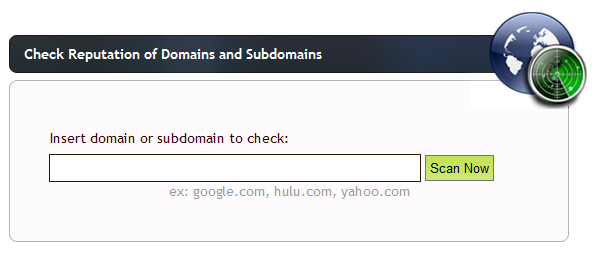
and reliable link scanners available; I suggest you try URLVoid first. URLVoid scans a link using multiple services, such as Google, MyWOT, and Norton SafeWeb, and reports the results to you quickly.
URLVoid scans several security databases for information on sketchy Web domain names.More